Magnetic Wireless Charger Stand: Real 15W iPhone Speed
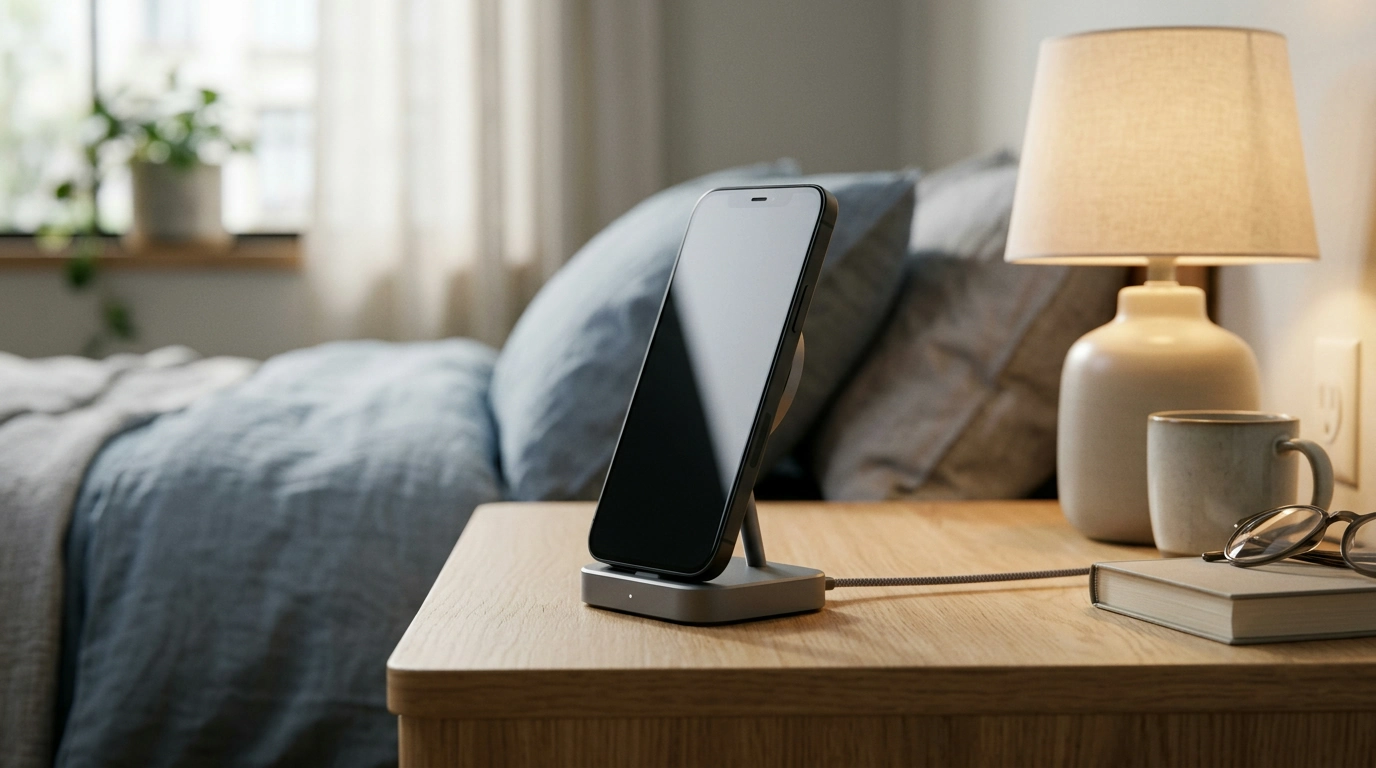
Magnetic Wireless Charger Stands: A Cleaner, Faster Way to Power Up Your iPhone
A magnetic charging stand keeps an iPhone upright while delivering convenient wireless power—ideal for desks, nightstands, and video calls. Instead of placing your phone flat on a pad (or fighting with a cable in the dark), a magnetic dock helps the phone “snap” into a consistent sweet spot so charging feels simple and repeatable. Below is what matters most when shopping for a magnetic wireless charger stand, what “15W fast charging” typically means in real use, and how to set up a reliable charging station that fits your daily routine.
What a Magnetic Charger Stand Does (and Why It’s Useful)
A magnetic wireless charger stand combines two jobs: it acts like a phone dock for easy viewing and it delivers wireless power. That combination is especially handy in the places where you interact with your iPhone the most.
- Fixed viewing position while charging: The phone stays upright, reducing cable clutter and breaking the habit of “flat-on-the-table” charging that can make notifications harder to see.
- Magnetic alignment for steadier charging: Magnets help center the wireless charging coil so the charge is more consistent, with fewer starts/stops from accidental misplacement.
- Hands-free use: It’s easier to take FaceTime calls, view notifications, stream media, or use StandBy/clock mode at a comfortable angle.
- One-handed docking: With a confident magnetic hold, it’s quick to set the phone down and pick it up without fiddling.
Charging Speed: What “15W Fast Charging” Typically Means for iPhone
“15W” is a maximum rating, not a guaranteed constant output. Real-world wireless charging speed varies by iPhone model, heat, the wall adapter used, and the charging protocol the charger supports.
- Model and protocol support matter: iPhones that support MagSafe features can often reach higher wireless rates with compatible magnetic chargers. With non-certified options, iOS may negotiate lower wattage depending on the accessory and conditions.
- Heat can slow charging automatically: Wireless charging produces more heat than wired charging. If your iPhone warms up—especially in a warm room, under blankets, or inside a thick case—it may throttle charging to protect battery health.
- Power adapter quality affects stability: A strong, consistent wall adapter (often a USB-C Power Delivery adapter when supported by the charger) helps prevent slowdowns and intermittent charging.
For official background on magnetic alignment and compatible iPhone behavior, Apple’s overview of MagSafe is a helpful reference: Apple Support — About MagSafe for iPhone. For the broader wireless charging standard many devices rely on, the Qi specification is maintained by the Wireless Power Consortium.
What Affects Wireless Charging Performance
| Factor | Why it matters | Practical tip |
|---|---|---|
| Power adapter output | Insufficient wattage can cap charging speed or cause intermittent charging | Use a reputable adapter that meets or exceeds the charger’s input requirement |
| Case thickness/material | Thick cases or metal accessories can reduce efficiency | Try charging without the case, or use a MagSafe-compatible case |
| Phone temperature | iPhone may throttle charging to protect battery health | Charge in a cool, ventilated spot; avoid charging under pillows/blankets |
| Magnetic alignment | Misalignment wastes energy and can reduce speed | Snap the phone into place so the magnets center the coil |
Design Details That Matter on a Desk or Nightstand
Two magnetic stands can share the same wattage rating but feel very different in daily use. The best choice comes down to how stable, comfortable, and tidy it is where you’ll actually use it.
- Stand stability: A weighted base and non-slip pads reduce wobble when you tap the screen to pause music, dismiss alarms, or answer calls.
- Viewing angle and glare control: A sensible tilt makes it easier to see the display at a desk or bedside without craning your neck.
- Confident magnetic “grab”: Strong alignment helps the phone land in the right place quickly, making one-handed docking feel natural.
- Cable routing: Clean cable management reduces strain at the connector and keeps the charging area looking neat.
Compatibility and Everyday Use
Magnetic wireless charging is at its best when the phone and case support reliable alignment. If the magnetic hold feels weak or the phone slides, charging can become slower or inconsistent.
- MagSafe-era iPhones and compatible cases: A MagSafe-compatible case typically provides the most secure hold and the most consistent coil positioning.
- Wallet attachments: Remove magnetic wallets or card holders while charging if they interfere with alignment or create extra heat.
- Avoid low-power USB ports: Plugging into a low-output port (like some older power strips or computer ports) can cause slow charging or dropouts.
Setup Checklist for Reliable Fast Charging
A small setup tweak can make a big difference with wireless charging performance. Use this quick checklist to get a stable, repeatable charge every time you dock the phone.
When a Magnetic Stand Is the Right Choice (and When It Isn’t)
Featured Picks Available Now
- Magnetic Wireless Charger Stand 15W Fast Charging Dock for iPhone (USD 41.51)
- Using AI to Practice Empathy Toward Yourself – Self-Compassion AI Guide, Digital eBook (USD 8.99)
FAQ
Will a magnetic wireless charger stand work through an iPhone case?
Most MagSafe-compatible cases work well because they’re designed to maintain magnetic alignment and efficient power transfer. Thick cases, metal plates, or some wallet attachments can weaken the hold and reduce charging speed, so removing those can help.
Why does wireless charging sometimes slow down or pause?
Wireless charging may slow due to heat throttling, slight misalignment, or an underpowered adapter/poor cable that can’t provide stable input. Re-seat the phone so it snaps into place and use a quality wall adapter matched to the charger’s requirements.
Is 15W wireless charging safe for iPhone batteries?
Yes—iPhone manages charging behavior to protect the battery, and some warmth is normal. If the phone gets uncomfortably hot, improve ventilation, remove a thick case, and avoid charging in warm, enclosed spaces.











Leave a comment